
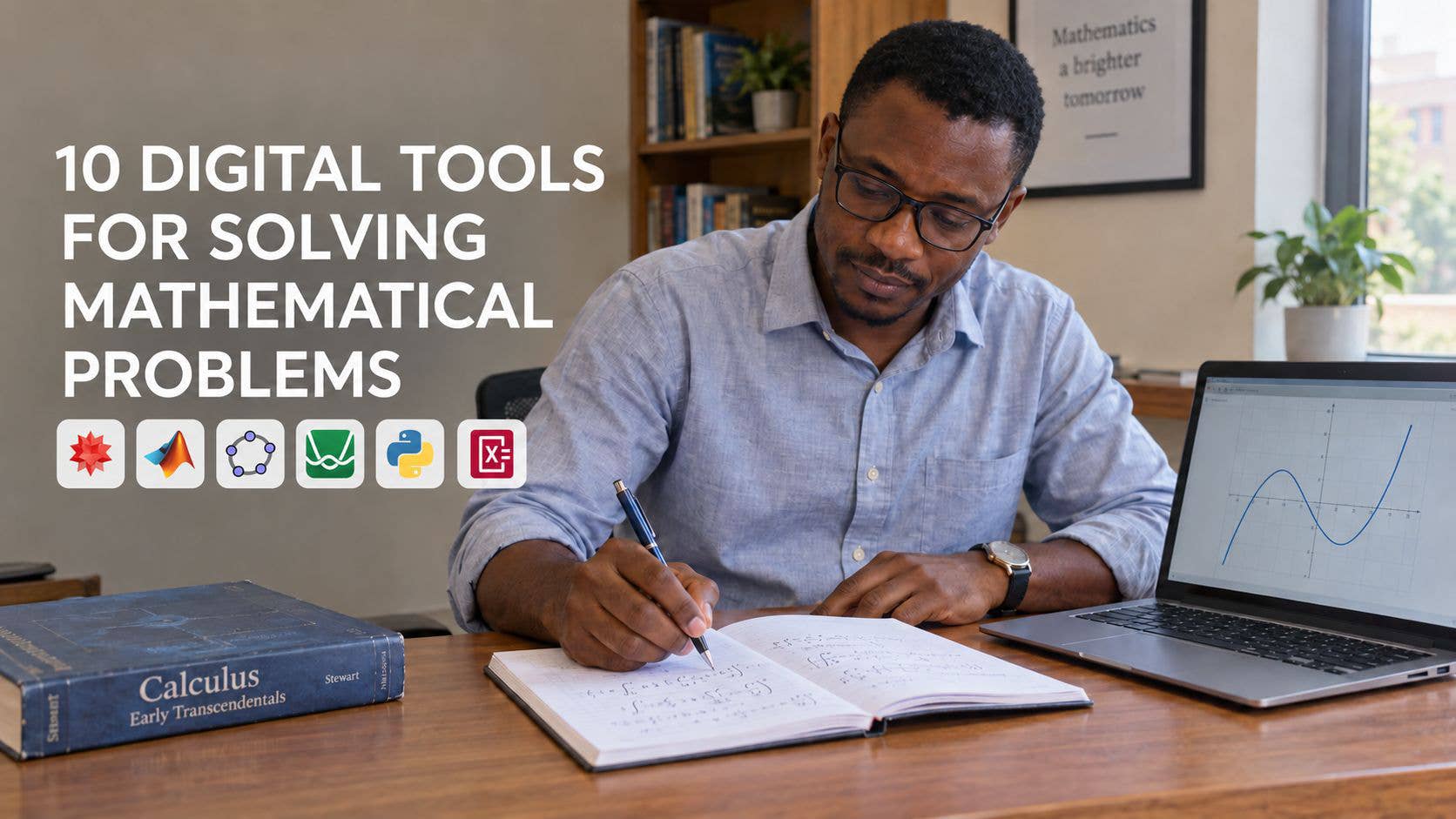
Mathematics involves much more than obtaining final answers. Depending on the problem, a mathematician may need to manipulate symbolic expressions, approximate numerical solutions, construct graphs, test conjectures or simulate the behaviour of a mathematical model. The usefulness of a digital tool therefore depends on the nature of the problem and the purpose of the calculation.
A tool that is suitable for teaching secondary-school algebra may not be appropriate for solving a large system of differential equations. Similarly, software designed for numerical simulation may produce excellent approximations without providing the exact symbolic form of a solution.
This article discusses ten digital tools that can support mathematical problem-solving. They were selected based on their mathematical coverage, computational capability, accessibility, explanatory support, visualization features and relevance to students, teachers, researchers and professionals.
The tools are not presented as an absolute ranking. They serve different purposes and operate at different levels of mathematical complexity.
1. Wolfram Alpha
Wolfram Alpha is a computational knowledge engine that interprets mathematical queries and attempts to calculate the required results. Unlike a conventional search engine, which primarily retrieves webpages, it processes the mathematical content of a question.
A user can enter an expression such as:
\int x^2e^x\,dxThe user may also request the solution of an equation such as:
x^3 - 4x + 1 = 0Depending on the problem, the system may return an exact result, a decimal approximation, a graph or an alternative form of the expression.
Wolfram Alpha can handle problems involving arithmetic, algebra, calculus, matrices, differential equations, probability and statistics. Its ability to interpret relatively informal mathematical input makes it useful to people who may not know the syntax of a programming language.
Strengths
It supports a wide range of mathematical topics.
It can perform both symbolic and numerical calculations.
It often presents a result in several mathematical forms.
It requires little programming knowledge.
It is useful for checking calculations quickly.
Limitations
The system may provide a result without fully explaining the mathematical reasoning behind it. It can also interpret an expression incorrectly if the input is ambiguous.
For example:
\frac{1}{x+1}is different from:
\frac{1}{x}+1If brackets are omitted, the system may solve a different problem from the one the user intended.
The result may also depend on unstated assumptions. Whether a variable is real, complex, positive or unrestricted can affect the form and validity of a solution.
Practical Perspective
Wolfram Alpha is particularly useful for checking answers, exploring unfamiliar expressions and obtaining an initial understanding of a problem. However, the user should examine the interpreted input and verify the assumptions before accepting the result.
It is most beneficial when used as a checking and exploratory aid rather than as a substitute for mathematical reasoning.
2. Wolfram Mathematica
Wolfram Mathematica is a comprehensive technical computing system. It combines symbolic mathematics, numerical computation, programming and visualization within a notebook environment.
Although Mathematica and Wolfram Alpha are related, they are designed for different levels of use. Wolfram Alpha mainly responds to individual queries, while Mathematica allows the user to build complete and reproducible computational procedures.
Mathematica can be used to solve equations, simplify expressions, evaluate integrals, differentiate functions, perform matrix operations, solve differential equations, optimize functions and create two- or three-dimensional visualizations.
For example, the command:
Solve[x^3 - 4 x + 1 == 0, x]requests symbolic solutions, while:
NSolve[x^3 - 4 x + 1 == 0, x]returns numerical approximations.
The distinction between these two forms of computation is important. A symbolic answer represents a result exactly, while a numerical answer approximates it to a specified level of precision.
Strengths
It has extensive symbolic-computation capabilities.
It supports advanced numerical methods.
It produces high-quality mathematical visualizations.
It combines equations, code, text and graphics.
It can support a mathematical investigation from formulation to presentation.
Limitations
Mathematica requires users to learn its syntax and understand how its functions behave. A command may remain unevaluated or return an unexpected expression when the problem has not been stated with sufficient assumptions or constraints.
Complicated symbolic results may also be difficult to interpret. A correct answer is not always presented in the simplest or most familiar form.
Practical Perspective
Mathematica is particularly suitable for university mathematics, mathematical modelling and research. It is valuable when a problem requires symbolic derivation, numerical experimentation and visualization within the same workflow.
Its output should still be examined carefully. A symbolic result may only be valid under particular conditions, while a numerical result may be affected by precision, convergence and stability.
3. MATLAB
MATLAB is primarily designed for numerical computation. Its structure is based heavily on vectors and matrices, making it especially useful in engineering, applied mathematics, control theory, optimization, statistics and scientific computing.
Suppose that a system of linear equations has been written as:
Ax = bIn MATLAB, it can be solved using:
A = [2 1; 1 3];
b = [5; 7];
x = A\b;
This approach does not simply calculate the inverse of A. It generally selects an appropriate numerical procedure for solving the system, which is often more stable and efficient.
MATLAB is widely used for simulations, data analysis, numerical differential equations, signal processing and the implementation of mathematical algorithms.
Strengths
It is highly effective for numerical linear algebra.
It supports modelling and simulation.
It handles vectors and matrices efficiently.
It provides extensive visualization facilities.
It is suitable for implementing and testing numerical algorithms.
Limitations
MATLAB is not primarily a symbolic algebra system, although symbolic features are available. It is better suited to obtaining numerical approximations than to deriving exact closed-form solutions.
Its answers are also affected by floating-point arithmetic. A result containing many decimal places may appear highly accurate even when the original problem is poorly conditioned.
For example, a small change in the data of an ill-conditioned system may produce a large change in the computed solution. The output alone may not reveal this sensitivity.
Practical Perspective
MATLAB is most appropriate when the problem is numerical, computational or model-based. It is especially valuable for dynamical systems, control problems, optimization, scientific simulations and large matrix computations.
Users should examine error tolerances, convergence criteria and numerical conditioning rather than treating every displayed value as exact.
4. Maple
Maple is a computer algebra system developed for symbolic and numerical mathematics. It can simplify expressions, solve equations, manipulate matrices, evaluate derivatives and integrals, solve certain differential equations and create mathematical visualizations.
Its working environment allows mathematical notation, explanatory text, executable commands and graphical results to be presented together. This makes it useful for teaching, computation and technical documentation.
A user can request an exact symbolic solution and then obtain a numerical approximation when the symbolic form is unavailable or unnecessarily complicated.
Strengths
It has strong symbolic-algebra capabilities.
It presents mathematical expressions clearly.
It supports both exact and approximate computation.
It is useful for calculus and differential equations.
It allows mathematical exposition and computation to be combined.
Limitations
Users must learn the correct commands and syntax. Maple may also return a mathematically correct expression in an unfamiliar form.
Two expressions can look different while representing the same mathematical quantity. Consequently, the appearance of different results does not necessarily imply a contradiction.
Automatic simplification must also be interpreted carefully. A simplification may only be valid under particular assumptions about the variables.
Practical Perspective
Maple is useful when symbolic manipulation is central to the problem. It is well suited to algebra, calculus, differential equations and mathematical modelling.
Its results are more meaningful when the user understands the conditions under which a transformation or simplification is valid.
5. SageMath
SageMath is an open-source mathematical software system that integrates several mathematical packages into a Python-based environment. It supports algebra, calculus, number theory, combinatorics, graph theory, numerical computation and many other areas.
Because SageMath uses Python-like syntax, it is particularly attractive to users who want to combine mathematics with programming.
For example:
x = var('x')
solve(x^2 - 5*x + 6 == 0, x)
This returns the solutions:
x = 2, 3Because SageMath supports programming, it allows users to move beyond isolated calculations. A sequence of operations can be organized into a complete computational experiment and repeated whenever the data or assumptions change.
Strengths
It is free and open source.
It covers many branches of mathematics.
It supports exact and numerical computation.
It is suitable for reproducible mathematical work.
It integrates mathematical computation with programming.
Limitations
SageMath can require more technical knowledge than a browser-based calculator. A beginner may need time to understand its syntax, packages and computational structure.
Since it integrates several mathematical systems, the behaviour and presentation of different functions may not always appear completely uniform.
Practical Perspective
SageMath is a strong option for students, lecturers and researchers who want a broad mathematical environment with a high degree of computational control.
It is particularly valuable for users willing to develop programming skills and for research in areas such as algebra, number theory and combinatorics.
6. SymPy
SymPy is an open-source Python library for symbolic mathematics. It allows mathematical expressions to be represented and manipulated exactly within a Python program.
It can solve equations, differentiate and integrate expressions, calculate limits, manipulate matrices, simplify expressions and solve certain differential equations.
For example:
from sympy import symbols, solve

x = symbols('x')
solution = solve(x**2 - 5*x + 6, x)
print(solution)
The result is:
[2, 3]These are exact solutions rather than decimal approximations.
SymPy is especially useful when symbolic mathematics forms part of a larger computational project. It can be combined with other Python libraries for numerical computing, data analysis, visualization and machine learning.
Strengths
It is free and open source.
It integrates naturally with Python.
It can produce exact symbolic results.
It is suitable for automating repeated calculations.
It supports reproducible mathematical workflows.
Limitations
SymPy is not always suitable for very large numerical computations. Libraries designed specifically for numerical arrays are generally more efficient for such tasks.
Complicated symbolic expressions may also become extremely large and computationally expensive. In addition, the user must state relevant assumptions when they affect the result.
For example:
x = symbols('x', positive=True)This tells SymPy that x is positive. Without this information, some simplifications cannot be performed safely.
Practical Perspective
SymPy is particularly valuable to mathematicians, data scientists and researchers who already work with Python. It gives users direct control over each stage of a calculation and makes it possible to preserve the complete procedure.
Its effective use requires careful attention to mathematical domains, assumptions and the distinction between symbolic and numerical computation.
7. GeoGebra
GeoGebra combines algebra, geometry, graphing, statistics, spreadsheets and computer algebra in an interactive environment. Its main educational strength is the dynamic connection it creates between algebraic expressions and visual objects.
For example, a student can construct a triangle and observe how its angles, side lengths and area change when one vertex is moved.
The student can also investigate the quadratic function:
y = ax^2 + bx + cBy changing the values of a, b and c, the student can observe the corresponding changes in the graph.
This dynamic relationship can help learners understand concepts that may appear abstract when presented only as formulas.
Strengths
It connects algebraic and geometric representations.
It allows mathematical objects to be manipulated dynamically.
It supports geometry, functions, calculus and statistics.
It is useful for classroom demonstrations.
It assists with the visual exploration of mathematical relationships.
Limitations
A graphical observation is not equivalent to a mathematical proof. Two lines may appear parallel on a screen without satisfying the exact conditions for parallelism.
Similarly, a graph may suggest that a statement is always true when it has only been observed for a limited number of cases. Visual accuracy is also affected by the scale and viewing window.
Practical Perspective
GeoGebra is most useful for exploration, visualization and the development of mathematical intuition. It can help a learner discover patterns and formulate conjectures.
Any conclusion obtained visually should subsequently be justified through algebraic reasoning, logical argument or formal proof.
8. Desmos
Desmos is an interactive graphing tool that allows users to plot functions, equations, inequalities, data and parametric curves.
Its system of sliders makes it possible to investigate how changing a parameter affects a graph. Consider the function:
y = a(x - h)^2 + kBy varying a, h and k, a learner can observe vertical stretching, reflection and translation in real time.
Desmos can also be used to locate approximate roots, compare functions, investigate intersections and explore inequalities.
Strengths
It has a simple and intuitive interface.
It produces clear and responsive graphs.
It supports interactive parameter changes.
It is useful for investigating function behaviour.
It requires little programming knowledge.
Limitations
Desmos is not a complete symbolic-computation system. A graph may show where two curves appear to intersect, but it may not provide the exact algebraic values of the intersection points.
The selected viewing window can also create a misleading impression. A function may appear to have no additional roots, turning points or asymptotes simply because they lie outside the visible interval.
A graph that looks continuous at a particular scale may contain behaviour that becomes visible only when the graph is examined more closely.
Practical Perspective
Desmos is particularly useful for building graphical intuition and testing preliminary ideas. It helps users see how equations and parameters influence the shapes of graphs.
Exact solutions and general conclusions should still be supported by algebraic or analytical methods.
9. Symbolab
Symbolab is a web-based mathematical solver that focuses strongly on step-by-step solutions. It covers areas such as pre-algebra, algebra, trigonometry, calculus, matrices, statistics and geometry.
Instead of returning only the final result, it attempts to divide the solution into intermediate steps. This is useful when a student understands the topic generally but becomes stuck at a particular transformation.
For example, when solving an equation, the system may display the rearrangement, factorization and final extraction of the roots as separate stages.
Strengths
It provides step-oriented solutions.
It covers many common mathematical topics.
It can help users inspect standard mathematical procedures.
It is useful for comparing different solution methods.
It can assist learners in locating errors.
Limitations
A displayed sequence of steps does not necessarily provide a complete conceptual explanation. A method may be shown correctly without explaining why it is appropriate or whether another method would be more efficient.
There is also a risk of passive copying. A student may reproduce the displayed steps without understanding the mathematical principles behind them.
Practical Perspective
Symbolab is most useful after the learner has attempted the problem independently. The displayed solution can then be compared with the original attempt.
The objective should be to identify the reason for each step and reproduce the method without relying on the tool.
10. Photomath
Photomath is a mobile-oriented mathematical tool that can recognize a problem through a phone camera or accept manually entered expressions. It then provides a result and, where supported, a sequence of solution steps.
Camera-based input is particularly convenient when an expression contains fractions, exponents, radicals or several lines of notation that would be difficult to type on a small screen.
The tool is most closely associated with school-level arithmetic, algebra, equations, functions and introductory calculus.
Strengths
It provides convenient camera-based input.
It is accessible to beginning learners.
It can display structured solution steps.
It reduces the difficulty of entering complex notation.
It is useful for checking handwritten exercises.
Limitations
Optical recognition is not always accurate. A minus sign, exponent, decimal point, bracket or radical symbol can be interpreted incorrectly. Poor handwriting, shadows and unclear images may further reduce accuracy.
The user must therefore confirm that the captured expression agrees with the original problem before considering the solution.
There is also a serious educational risk when the tool is used to scan every exercise before any independent attempt is made.
Practical Perspective
Photomath is more valuable as a diagnostic and checking tool than as a source of ready-made answers. After examining a solution, the learner should close the application and attempt the problem again independently.
If the method cannot be reproduced or explained, genuine understanding has not yet been achieved.
Principles for Using Mathematical Tools Responsibly
The reliability of a mathematical result depends not only on the software but also on the way the problem is formulated and interpreted.
Attempt the Problem Independently
An independent attempt reveals what the learner understands and where the difficulty begins. Even an incomplete solution provides useful information.
Starting with an automated answer removes an important part of the learning process.
Enter the Expression Carefully
Mathematical software follows the expression it receives, not necessarily the expression the user intended. Brackets, negative signs, exponents and domains must be entered accurately.
Before analysing the answer, the user should confirm that the displayed problem is identical to the original one.
Distinguish Exact and Approximate Results
An exact result such as:
\sqrt{2}contains complete mathematical information, while:
1.4142is only an approximation.
The distinction becomes important in symbolic manipulation, error analysis and situations where a small numerical difference affects the final conclusion.
Verify the Answer
A proposed solution to an equation can be substituted into the original equation. A derivative can be checked by differentiating through another method. The reasonableness of an integral can be assessed from the behaviour and sign of its integrand.
Verification is particularly important when the input is complicated or the result is unexpected.
Examine the Assumptions
The expression:
\sqrt{x^2}is not equal to x for every real number. The correct general result is:
\sqrt{x^2} = |x|A computer system may require information about whether a variable is real, positive, negative or complex before performing a valid simplification.
Use Different Mathematical Representations
A problem is often better understood when examined symbolically, numerically and graphically.
For example, an equation can be solved algebraically, its roots approximated numerically and the result confirmed by locating the intercepts of its graph. Agreement between these approaches increases confidence in the conclusion.
Understand the Method
A long sequence of correct steps has limited educational value if the learner cannot explain why the steps are valid.
The user should be able to identify the mathematical rule applied at each stage and explain why the chosen method is suitable for the problem.
Choosing the Appropriate Tool
There is no single tool that is best for every mathematical problem.
Wolfram Alpha is effective for quick calculations and broad mathematical queries. Mathematica and Maple are more appropriate for advanced symbolic work. MATLAB is particularly strong in numerical modelling, scientific simulation and engineering applications.
SageMath and SymPy are useful when open and programmable mathematical environments are required. GeoGebra and Desmos are valuable for visualization and interactive exploration. Symbolab and Photomath can help learners examine the intermediate stages of standard mathematical procedures.
In advanced work, more than one tool may be required. A mathematical expression might be derived symbolically, evaluated numerically and interpreted graphically. The tools should therefore be viewed as complementary rather than mutually exclusive.
Conclusion
Digital tools have made sophisticated mathematical computation more accessible. They can reduce the time required for routine calculations, support the exploration of complex models and reveal relationships that may be difficult to observe manually.
Nevertheless, producing an answer is only one part of mathematical problem-solving. A complete mathematical solution requires correct formulation, suitable assumptions, logical reasoning, verification and clear interpretation.
Students should avoid using mathematical software merely to complete assignments. Teachers should use it to strengthen conceptual understanding, while researchers should document assumptions, algorithms and computational settings carefully enough for their work to be reproduced.
The real value of a mathematical tool lies in how it supports human reasoning. When used responsibly, these tools can deepen understanding and extend the range of problems that can be studied. They should complement mathematical knowledge, not replace it.
📖 ALSO READ: From Snake to Startups: Why We Shouldn't Lock Students Out of Social Media and Chatbots
📖 ALSO READ: The Art of Business Optimization: Why 'Good Enough' Is Not Enough